
Free music player for Android
Downloading MPTree
Your download will start automatically in a few seconds.
Installing MPTree
A quick walkthrough. It looks like a lot, but it takes about a minute.
-
1
Download the app
The download starts on its own. If it did not, tap Download now above.
-
2
If your browser warns about the file
Chrome may say the file could be harmful because it is an app. Tap Download anyway.
-
3
Open the downloaded file
Open your Downloads, or tap the download notification, then tap MPTree.apk.
-
4
Allow the install, if asked
If Android blocks it, tap Settings, turn on Allow from this source, then go back and tap MPTree.apk again.
-
5
If Play Protect blocks it
If you see "App blocked to protect your device", tap More details, then tap Install anyway. This warning is normal for apps outside the Play Store.
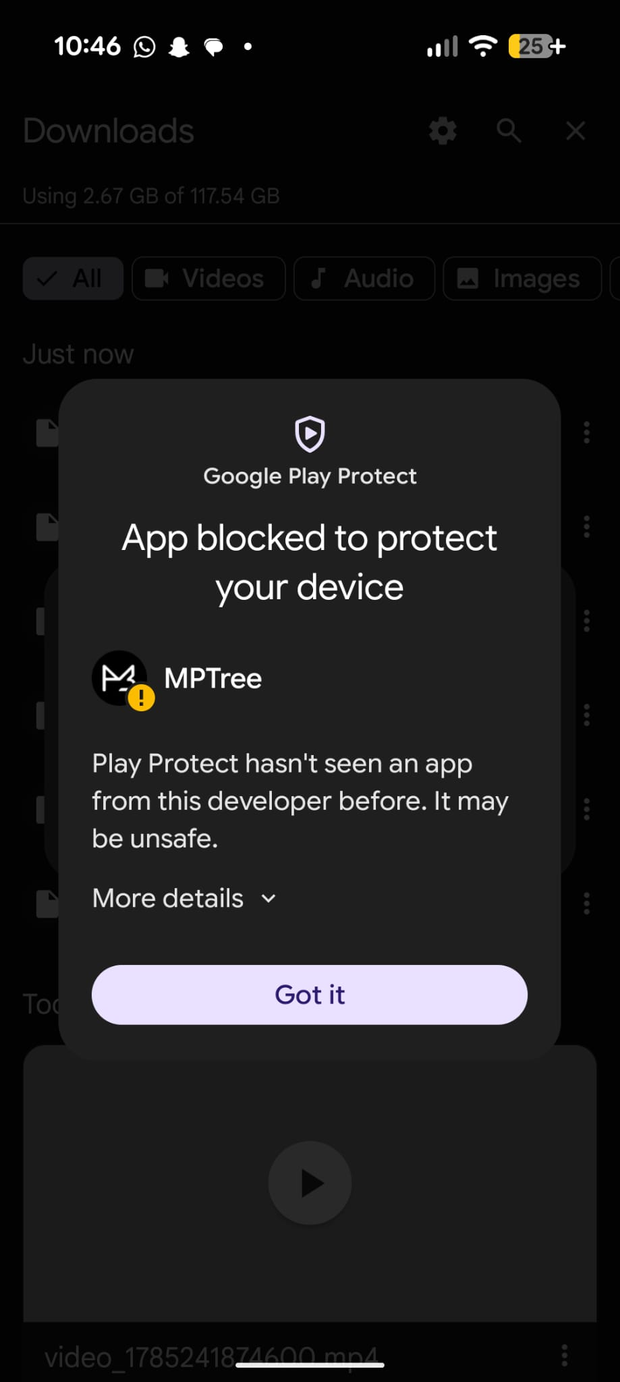
Tap "More details" 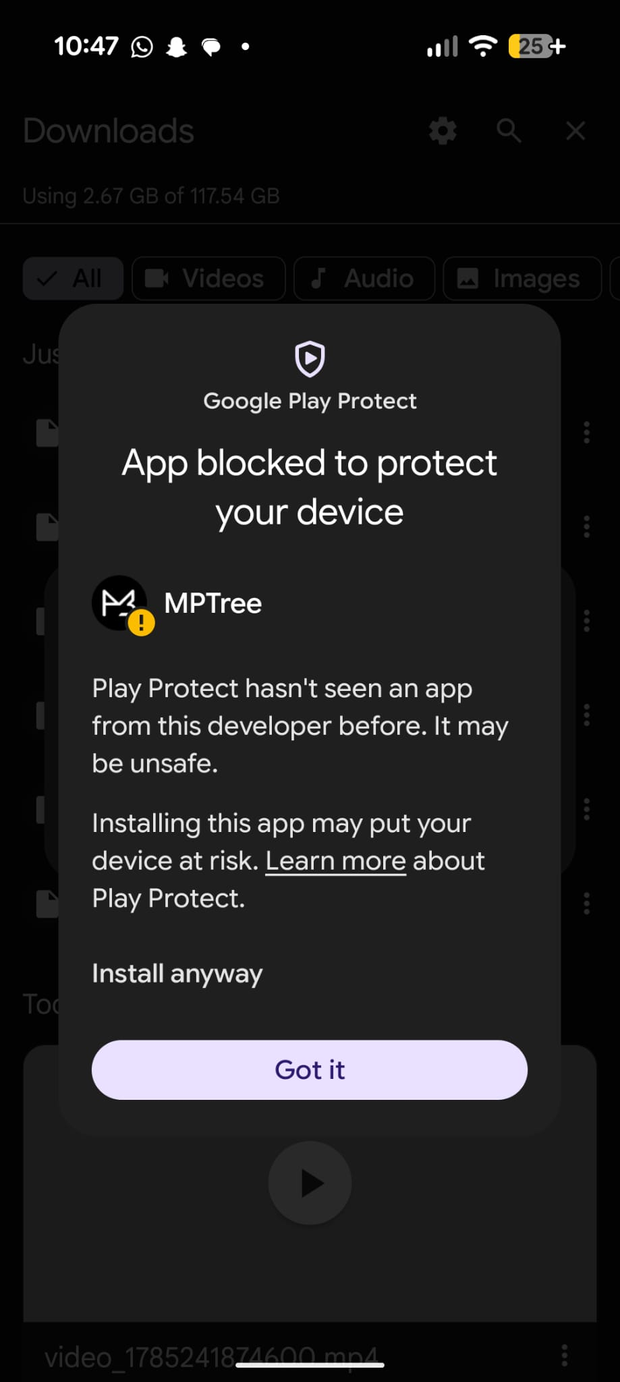
Then tap "Install anyway" -
6
Enjoy
Tap Open, allow MPTree to find your music, and start listening. 🎵
Why does Android show these warnings?
MPTree is distributed directly by the developer instead of through the Google Play Store. Because of that, Android and Google Play Protect show security warnings before you install. This is normal for any app installed outside the Play Store, and does not mean anything is wrong.
The app is completely free. It has no ads, no subscriptions and no tracking. Everything stays on your device.